grotto
Native macOS gRPC client with a permissive, user-friendly GUI
- Language
- Go
- Version
- 0.8.0
- License
- MIT
- Category
- Dev Tool
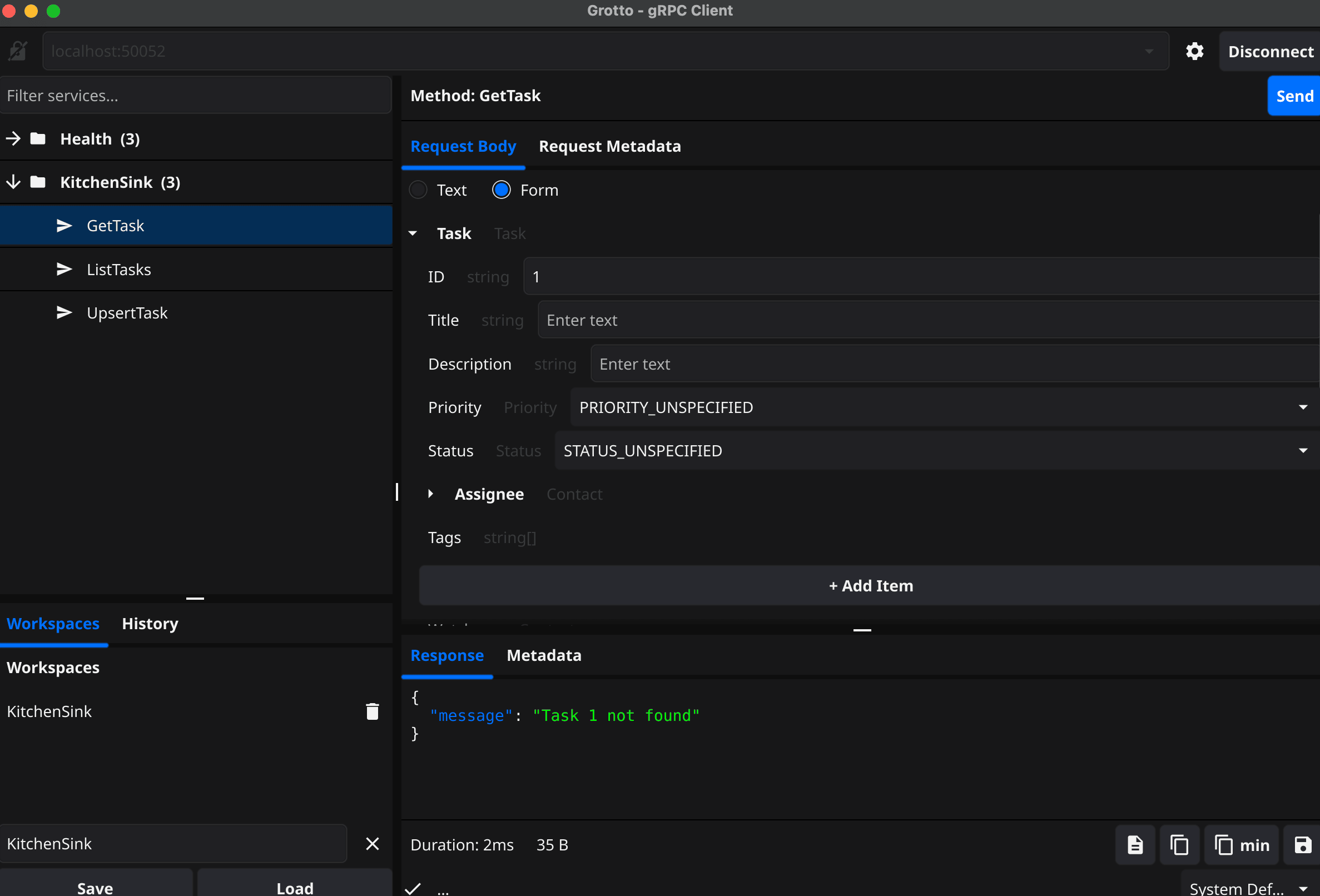
A desktop gRPC client built with Go and Fyne that discovers services via reflection and lets you explore APIs through auto-generated forms or direct JSON editing. Features syntax-colored JSON responses, smart optional field handling, and full streaming support across all four gRPC modes. Ships as a native macOS app with workspaces, request history, TLS/mTLS, metadata inspection, and keyboard shortcuts.
Preview
Features
Reflection-based discovery — automatically discovers services and methods with permissive descriptor handling
Dual interaction modes — auto-generated forms with validation or direct JSON editing with bidirectional sync
Full streaming support — unary, server streaming, client streaming, and bidirectional RPCs
Smart optional fields — proto3 optional fields and single-member oneofs render as toggle checkboxes with proper field presence
Syntax-colored responses — JSON with color-coded keys/strings/numbers/booleans, copy (compact or pretty), and export to file
Well-known type widgets — native form controls for Timestamp, Duration, and FieldMask
Rich gRPC error details — surface field violations, debug info, and structured error metadata
TLS and mTLS — secure connections with configurable certificates and skip-verify option
Workspaces — save connections, selected methods, per-method request templates, and auto-connect on load
Request history — searchable history with replay and per-entry delete
Metadata inspection — send and view gRPC request and response headers
Preferences and persistence — preferences dialog, configurable RPC timeout, window state restore, schema versioning, log rotation
Keyboard shortcuts — full set documented in SHORTCUTS.md
Install
Homebrew
$ brew install shhac/tap/grottoBuild from Source (needs Go 1.25+ and Fyne system dependencies)
$ git clone https://github.com/shhac/grotto.git && cd grotto && go build -o grotto ./cmd/grottoUsage
$ grotto$ GROTTO_DEBUG=true grotto$ GROTTO_STORAGE_PATH=~/my-workspaces grotto